
Signing up
Sign up: choose your web address
Step 2 of signing up: keep a domain you own, transfer it, register a new one or decide later.
Your web address (domain) is what people type to find you, like yourbusiness.co.za. On this step you tell us what to do about it. Nothing on your domain changes while you sign up: we only read the public records.
Choose an option
I am not sure yet is chosen to start with. Leave it and tap Next: look and colours if you would rather sort out your web address with us after you have paid. Or pick one of the other three options. The sections below explain each one.
- I own a domain and want to keep it where it is
- Transfer my domain to us
- Register a new domain, with a free .co.za for as long as you are a client, renewals included
- I am not sure yet
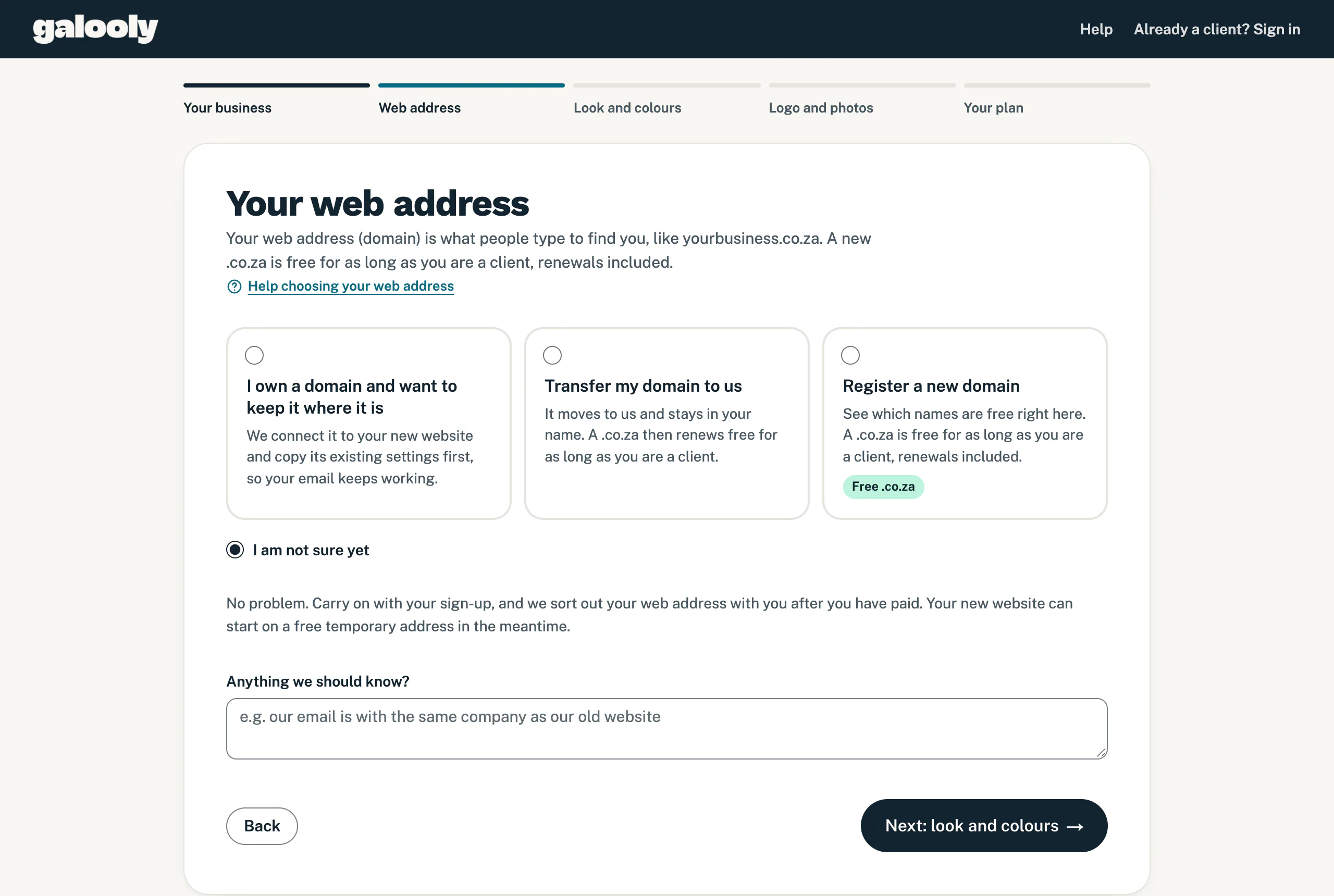
Keep a domain you already own
- Choose I own a domain and want to keep it where it is.
- Type it under Your domain, for example mybusiness.co.za. We look it up as you type, or tap Look it up. If you gave your website on step 1, it is already filled in.
- Check what we found: Registered with, Settings (DNS) run by, Email and Website.
- Check Your email on this domain, which we tick from what the look-up found, and tell us Who looks after the domain? if you know (see below).
How keeping it works: the domain stays registered where it is, and you renew it there as you do now. We copy its existing settings across to us first, your email included. Then you, or whoever looks after the domain, change its nameservers once. We send you the two new ones. Connect your own domain shows how.
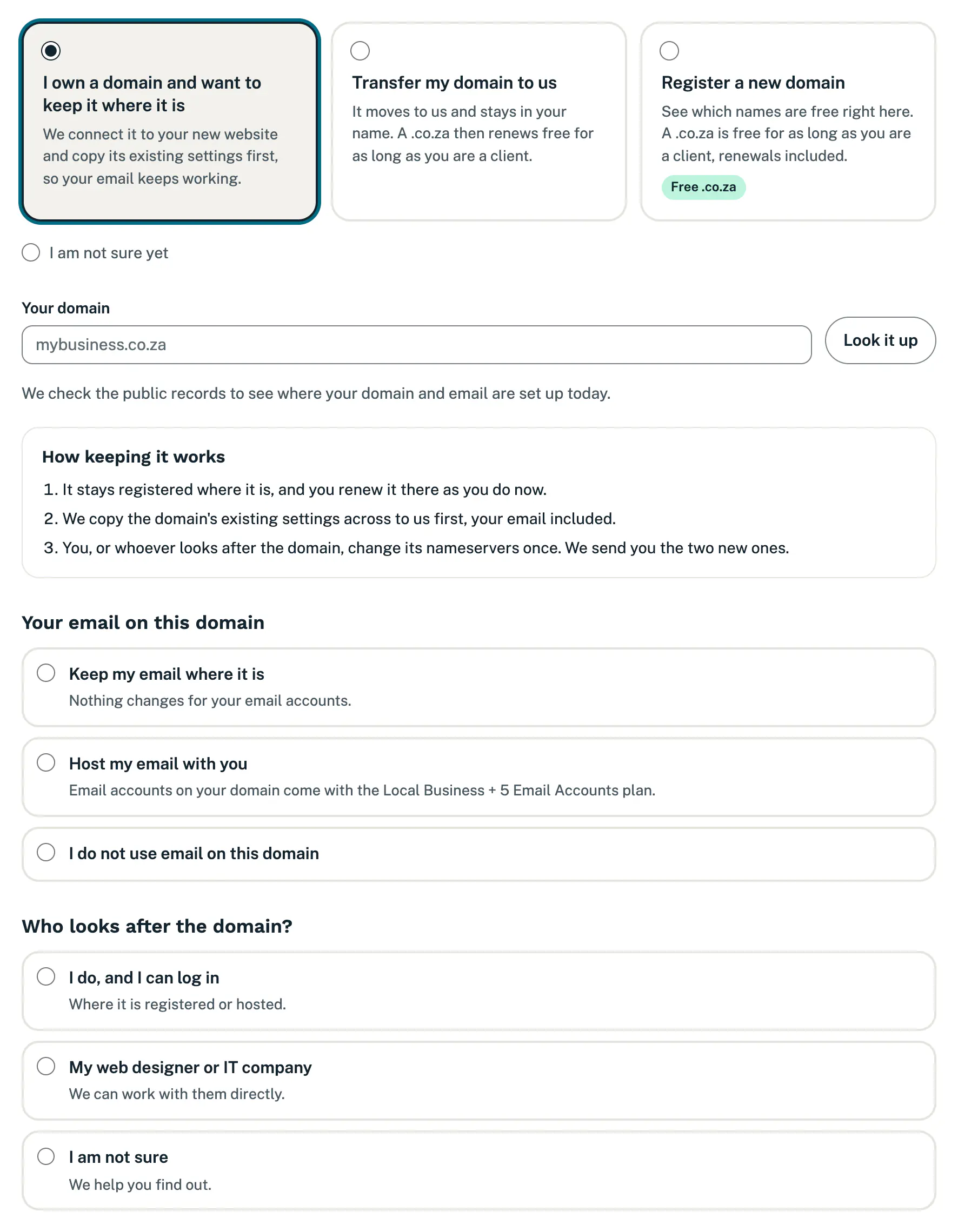
Transfer it to us
- Choose Transfer my domain to us.
- Type it under Your domain and check the same two questions.
What happens next:
- We start the transfer after your first payment. The domain stays registered in your name.
- Your current provider may ask you to approve it, or give you a transfer code to send us. If someone else looks after the domain, we can work with them.
- Before we point it at your new website, we copy its existing settings across, so your email keeps working.
- A .co.za then renews free for as long as you are a client. For other endings, we confirm the yearly renewal price with you before we move it.
More in Get a new domain or transfer yours.
Register a new domain
- Choose Register a new domain.
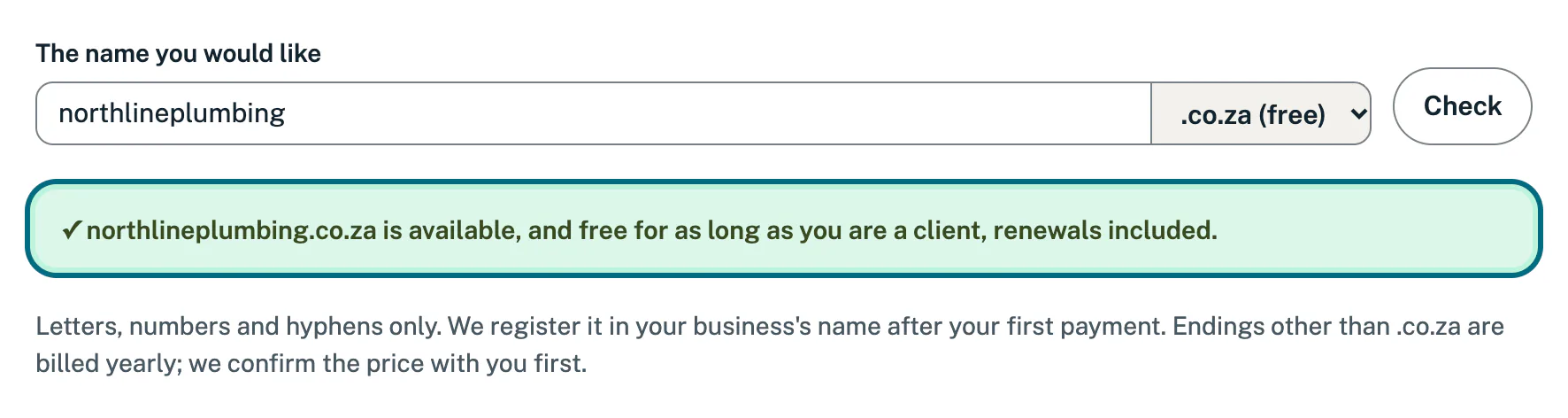
- Type the name under The name you would like: letters, numbers and hyphens only. We start with a name made from your business name, which you can change.
- Choose the ending: .co.za (free), .com, .africa or .org.za.
- We check as you type, or tap Check.
- A green line means the name is free. A .co.za “is available, and free for as long as you are a client, renewals included.” For other endings, we confirm the yearly price with you before we register it.
- If the name is taken, we show names that are free instead. Tap one to check it, or try another name or ending.
We register the name in your business’s name after your first payment. Short and easy to say over the phone works best.
Not sure yet
I am not sure yet is the choice to start with, so you can simply carry on. We sort out your web address with you after you have paid, and your new website can start on a free temporary address in the meantime. On the last step, the summary shows Web address: To sort out together.
Your email, and who looks after the domain
When you keep or transfer a domain, we ask two questions. You only see them after choosing to keep or transfer a domain.
Your email on this domain
- Keep my email where it is: nothing changes for your email accounts.
- Host my email with you: email accounts on your domain come with the Local Business + 5 Email Accounts plan, which you can choose on step 5. See Set up email on your domain.
- I do not use email on this domain
We tick one for you from what the look-up found, and if you tap Next without changing it, we use that answer. Change it if it is not right. Only when the look-up could not tell do you need to choose one yourself.
Who looks after the domain?
- I do, and I can log in: where it is registered or hosted.
- My web designer or IT company: add their details under Their name and email or number, and we can work with them directly.
- I am not sure: we help you find out.
This question is optional. If you are not sure, you can skip it and we work it out with you after you have paid.
Then add anything else under Anything we should know?, for example “our email is with the same company as our old website”, and tap Next: look and colours.
Good to know
- For a domain you keep, the switch is one nameserver change after you sign up. Once that change is through, we connect the website automatically, usually within an hour.
- If we cannot reach the registry, or you do many look-ups in a short time, you can still carry on, and we check it for you.
If something goes wrong
- “That is an address on Facebook, not a domain of your own.” A page on Facebook, Wix or a similar site is not a domain you own. Choose Register a new domain to get one.
- ”… is not registered to anyone yet.” Check the spelling. If it is the name you want, tap Register it as a new domain.
- “We could not find … anywhere. Please check the spelling.”
- “Please tell us about your email on this domain. We could not look it up.” Choose one of the answers under Your email on this domain.
- “Please choose one of the options for your web address.” Tap one of the four options.
- On the last step, the summary may say there is a problem with your web address. Tap Change it to come back here.
Still stuck?
Message us on WhatsApp or send us an email. Tell us your business name, the page you were on and what you tried, and we take it from there.