
Domain and email
Get a new domain or transfer yours
How registering a new domain or transferring yours to us works, and when it goes live.
We can register a new domain for your business, or move one you already own to us. A new .co.za is free for as long as you are a client, renewals included.
Own a domain and happy where it is registered? You can keep it there instead. See Connect your own domain.
Choose a new name when you sign up
- On step 2 of signing up, Your web address, choose Register a new domain.
- Under The name you would like, type the name without www or an ending, for example yourbusiness. Use letters, numbers and hyphens only.
- Pick the ending: .co.za (free), .com, .africa or .org.za.
- We check the name as you type, or tap Check. A green line tells you it is available.
- If it is taken, tap one of the names we suggest, or try another name or ending. Each suggestion is tagged Free .co.za or Yearly price.
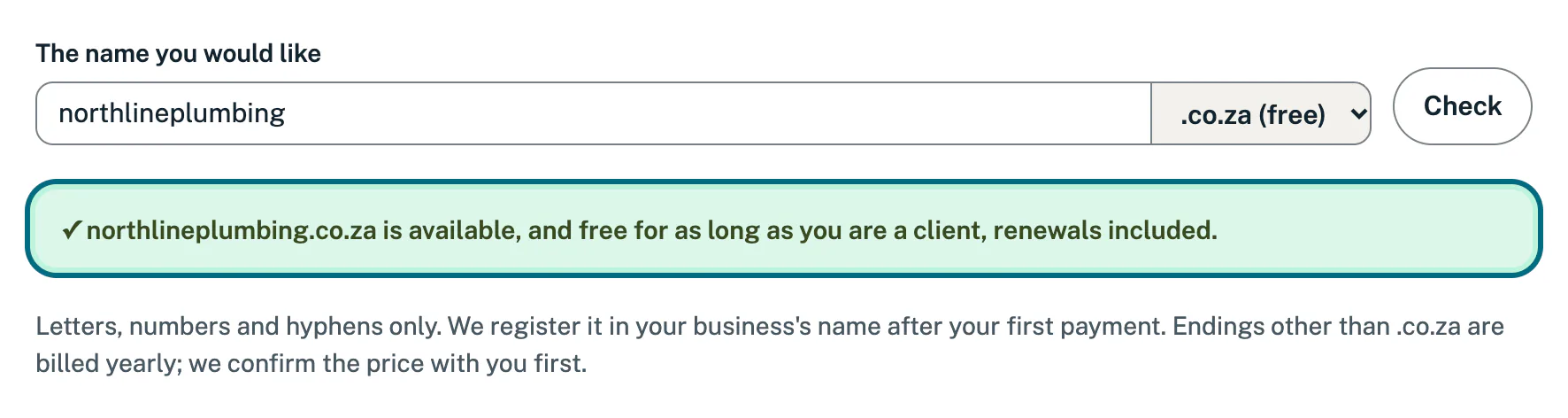
We register it in your business’s name after your first payment. More about this step in Sign up: choose your web address.
Transfer a domain you own
- On step 2 of signing up, choose Transfer my domain to us.
- Type your domain under Your domain. We look it up in the public records and show where it is registered and where its email runs today.
- Answer Your email on this domain and Who looks after the domain? If your web designer or IT company looks after it, give Their name and email or number.
We start the transfer after your first payment. The domain stays registered in your name. Before we point it at your new website, we copy its existing settings across, so your email keeps working.
Already a client? Open Connections, tap Connect a domain under Your domain, and tell us under Your domain the new name you would like, or the domain you want to transfer. Tap Send it. It never uses your monthly changes.
What we may need from you
- An approval. Your current provider may email you to approve the transfer. Check your inbox, and your spam folder, and approve it.
- A transfer code. Some providers give you a code instead (it may be called an auth code or EPP code). Send it to us.
- A price for other endings. Endings other than .co.za are billed yearly. We confirm the price with you before we register or move the domain.
- Your web designer or IT company. If someone else looks after the domain, we can work with them directly.
When it goes live
Because we hold the domain, we set its nameservers and connect it to your website ourselves. There is no nameservers email and no nameservers for you to change. While we connect it, the Your domain card on My site says so:
- A new domain: the card says there is nothing for you to do.
- A transfer: the card says we are moving the domain to us, and asks you to approve the transfer if your current provider emails you. Apart from that approval, there is nothing for you to do. We set the nameservers once the transfer is through.
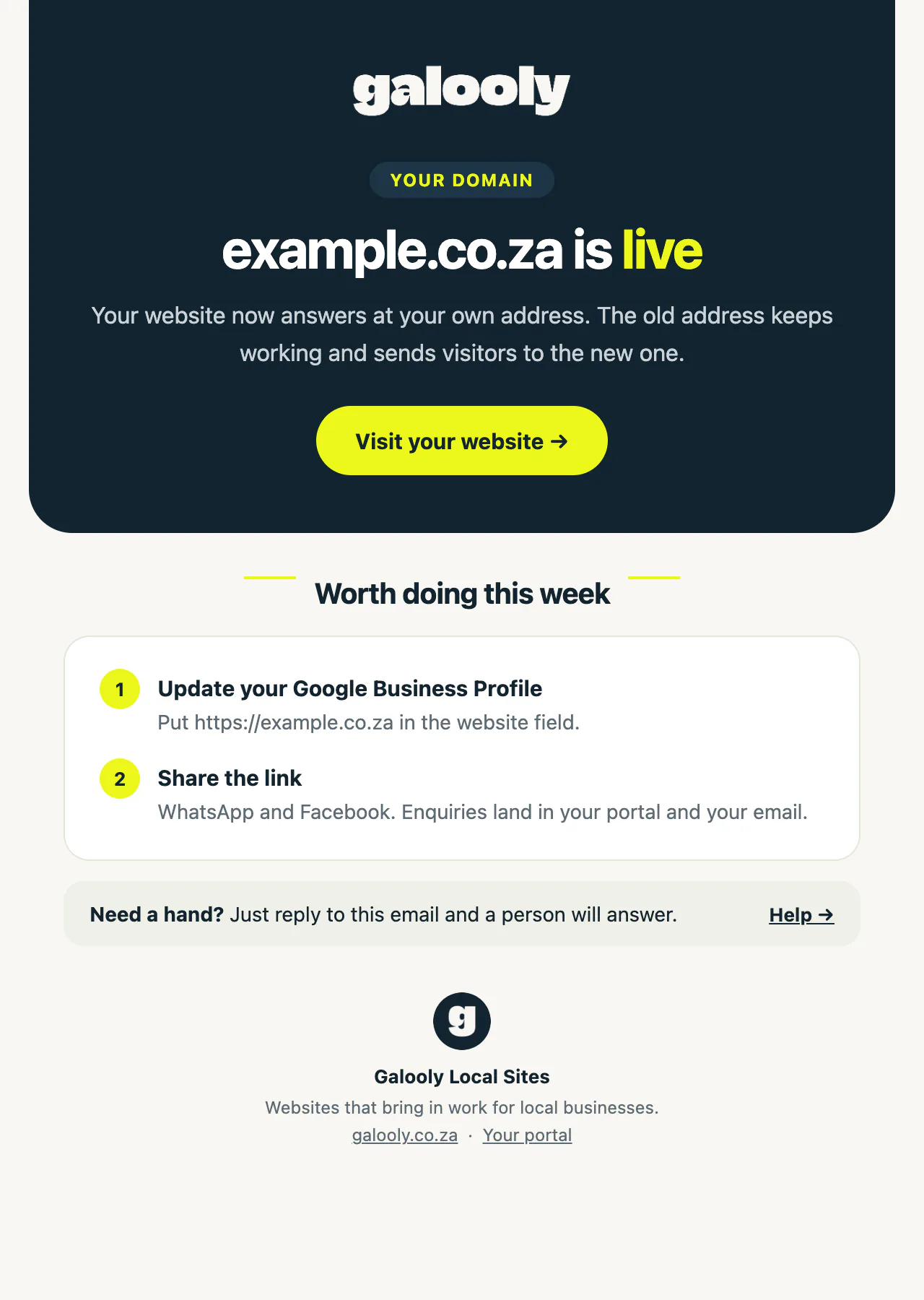
When it is live, we email you to say so, and My site shows your domain as your live address.
Until then your website works on its temporary address, the one on My site.
Good to know
- A .co.za is free for as long as you are a client, renewals included. After a transfer, its renewals are free too.
- How long a transfer takes depends on your current provider, and on how quickly the approval or code comes through.
- We set the nameservers of a domain we registered or transferred for you, so we never send you nameservers to change for it. If someone asks you to change them, check with us first.
If something goes wrong
- “We could not reach the registry just now”. You can carry on. We check the name before we register anything, and ask you if it is taken.
- “That is an address on Facebook, not a domain of your own”. You may see Wix or another site builder named instead. A page there is not a domain you can transfer. Choose Register a new domain to get one.
- The transfer has not moved for a while. It is usually waiting for the approval or the transfer code. Check your email for a message from your current provider, or contact us.
- The transfer could not go through. Your domain stays where it is registered, and you connect it like any domain you own: the Your domain card on My site then shows the two nameservers to set there. See Connect your own domain.
Still stuck?
Message us on WhatsApp or send us an email. Tell us your business name, the page you were on and what you tried, and we take it from there.