
Troubleshooting
Website changes are paused
Why new change requests stop after a failed payment, and how to start them again.
When your monthly payment fails and is not sorted out, we pause work on your website until it is. This guide explains why, what still works in the meantime, and how to start changes again.
Why changes pause
- Paying by card: when a monthly payment fails, Stitch, our payment provider, tries your card again once a day for up to three days. Billing shows Past due in that time, and nothing is paused. If the last try fails too, Stitch stops your card subscription. Billing then shows Suspended, website changes pause, and we email you “Your card subscription has stopped”.
- Paying by debit order through Payfast: website changes pause once payments have failed more than once.
What still works
- Your website stays live, and enquiries keep reaching you as usual.
- Your requests keep their place. Requests you already sent stay in the queue, and we carry on with them once your payment is back on track. A change we were already working on can still be finished.
- You can still follow your requests. Reply on a request, cancel one that is still queued, or tap Do this one first when more than one is queued.
- You can still send what we need from My site, and setup from Connections, such as connecting your domain or setting up your email. We take it, and it waits in the queue like a change.
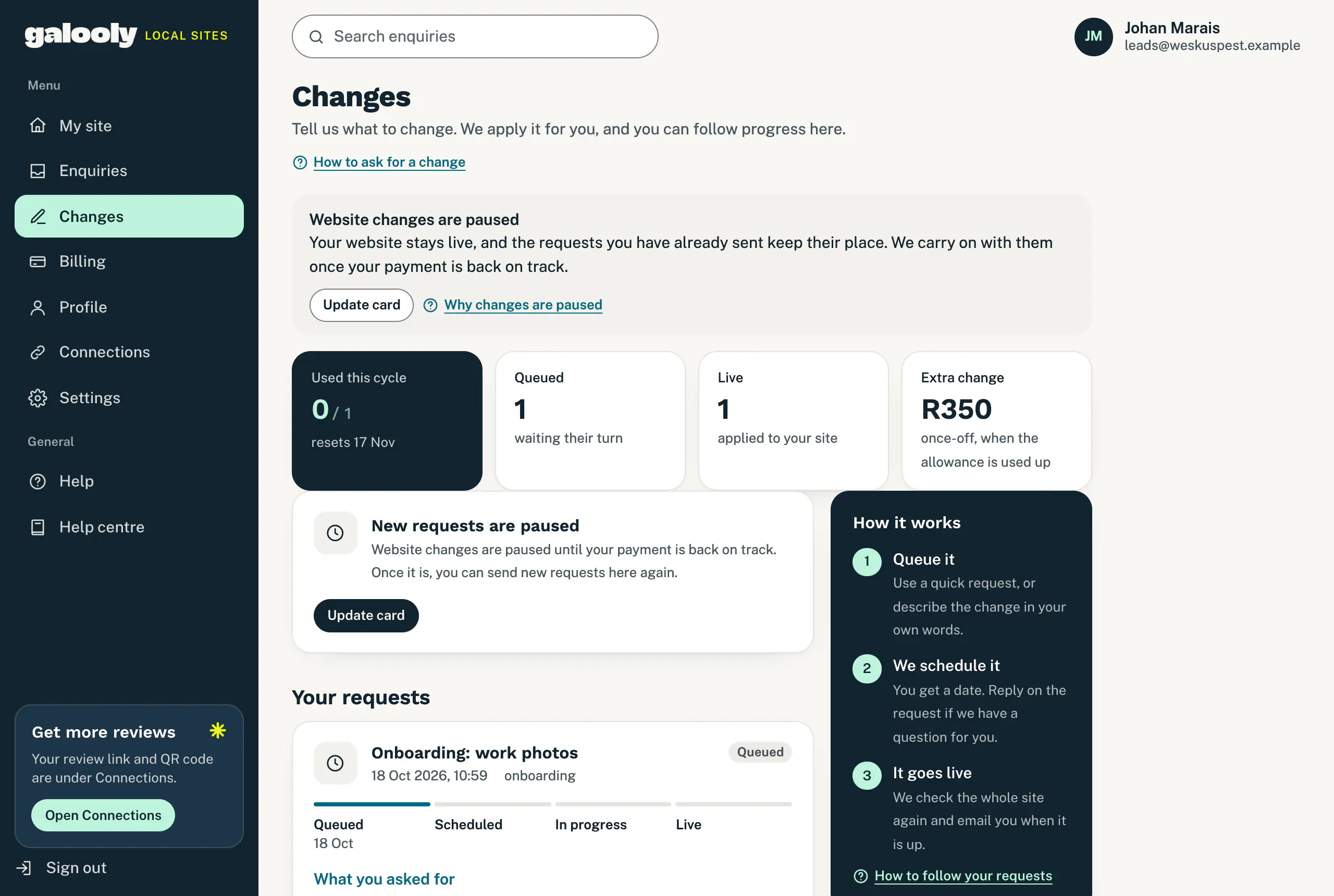
What you cannot do while paused is send a new change or fast-track one. On Changes, a note at the top says Website changes are paused, and the quick requests are replaced by New requests are paused. If you send one from a page you had open from before, the portal turns it away, and nothing is sent or charged.
Start changes again
If you pay by card through Stitch:
-
On Changes, tap Update card. It opens Billing at Card details. At the top of Billing, a red note says your card subscription stopped.
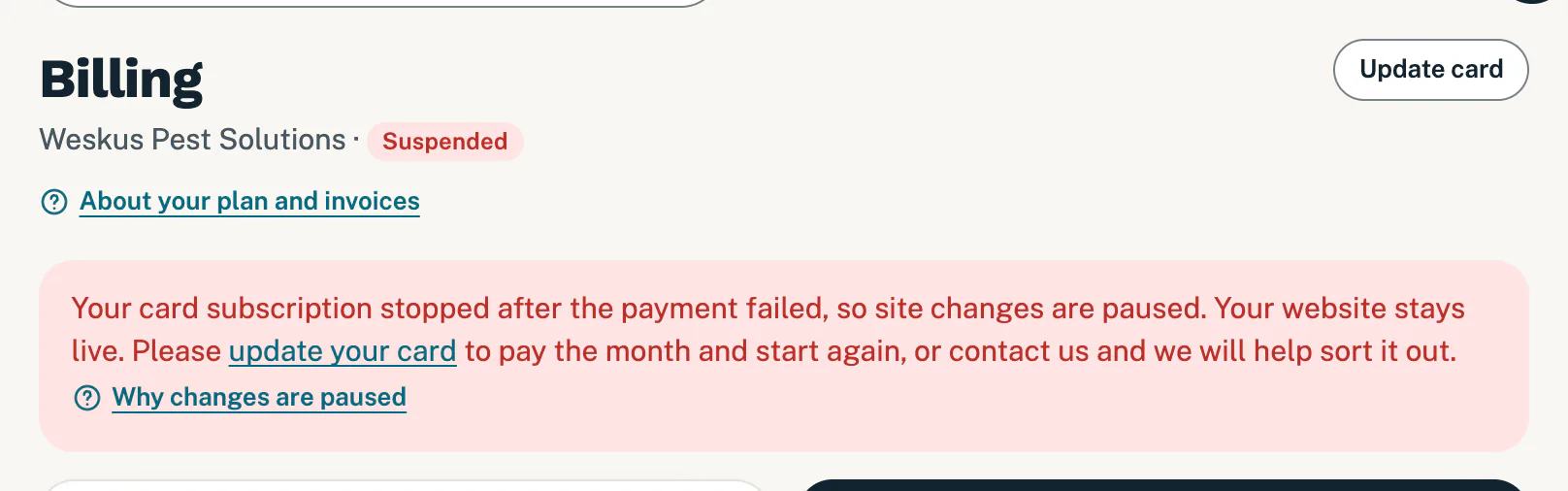
After the retries, site changes pause until the payment is sorted out. -
Tap Update card under Card details, or at the top right of Billing. The line under the button in Card details shows what you pay now and on which day each month after that.
-
On Stitch’s secure page, add your card and pay. You pay for one month now, and your card subscription starts again. From then on, your monthly payment falls on the day you add the card (the 28th at the latest).
-
Stitch brings you back to Billing. Once your payment is confirmed, the page says “Thanks for your payment. It is confirmed and listed under Invoices below.”
Website changes then start again by themselves: there is nothing to ask us. Changes shows the quick requests again, and we carry on with your queued requests.
If you pay by debit order through Payfast, Update card opens Payfast’s secure page instead. Changes start again once a payment goes through.
If you pay by EFT, the button on Changes says Go to Billing. There is no card on file, so contact us and we help you sort out the payment.
Good to know
- Past due is not paused. While Stitch is still trying your card, you can carry on asking for changes. To pay with another card straight away, see When a card payment fails.
- We never see your card number. You add it on Stitch’s secure page, and we never store it.
- Want to stop instead? You can still ask to cancel under Billing. See Cancel your plan.
If something goes wrong
- No Update card button, only a note asking you to contact us. We cannot set up a card payment for your account right now. Contact us and we sort it out.
- You cancelled on the payment page. Nothing was charged. Tap Update card again when you are ready.
- You paid, but changes are still paused. Billing usually shows a payment within a minute, so reload the page. If the payment is listed under Invoices and changes are still paused a few minutes later, contact us.
Still stuck?
Message us on WhatsApp or send us an email. Tell us your business name, the page you were on and what you tried, and we take it from there.