
Your website and enquiries
Send us what we still need
The checklist on My site: what each item is for and how to send it to us.
Some details make a website far more convincing, like a photo of you or the year you started. We never make up facts about your business, so these only go on your website once you send them. My site lists what is still missing, and each item takes a minute on your phone.
Find the list
On My site, look for Things we still need from you. Before your website is live, the same list is called Getting your site ready. The pill beside the heading shows how many items are still open.
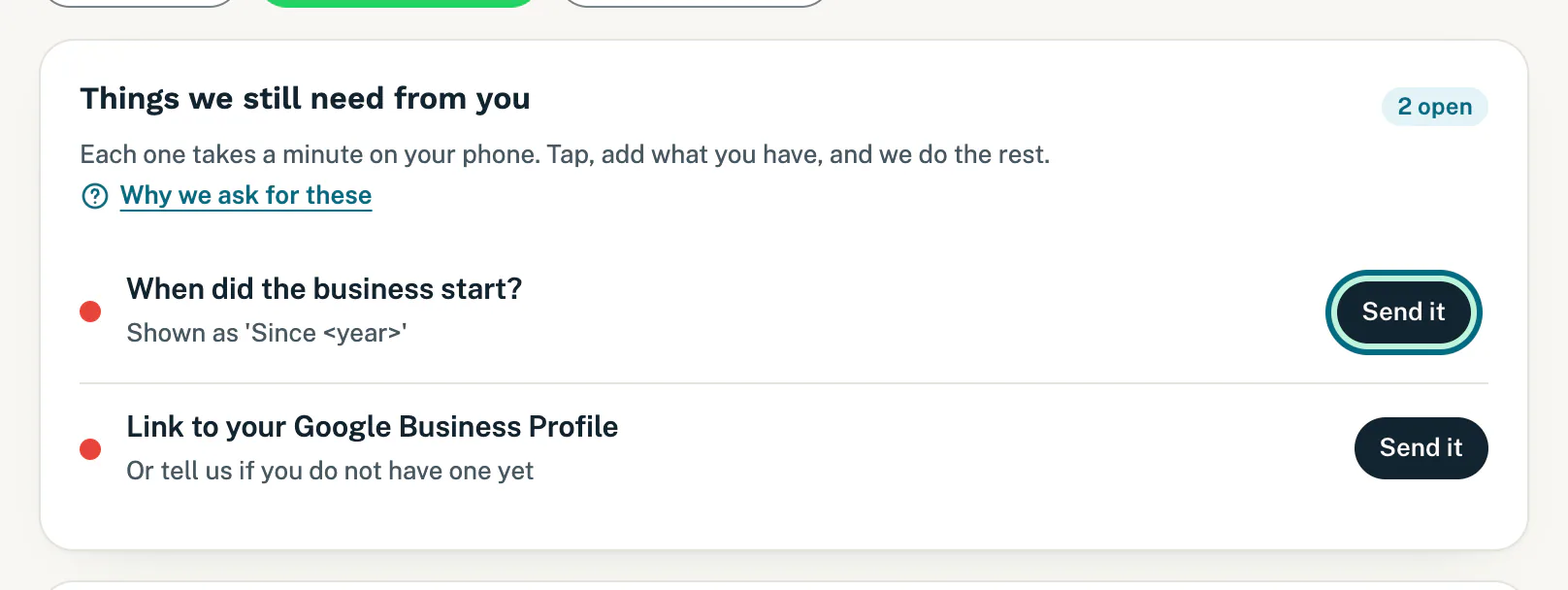
What you may see on it, and why we ask:
- Anything marked Needed before launch: we cannot put your website live without it.
- Your name and a photo of you: customers trust a face. A phone photo is fine.
- Your P-number (pest control only): your registration number. We show it once it is verified.
- When did the business start?: your website shows it as “Since” and the year.
- Link to your Google Business Profile: or tell us you do not have one yet.
- Two or three customer reviews we may quote: screenshots of Google or WhatsApp reviews work.
- Photos of real jobs: six to ten phone photos of you and your work.
Send an item
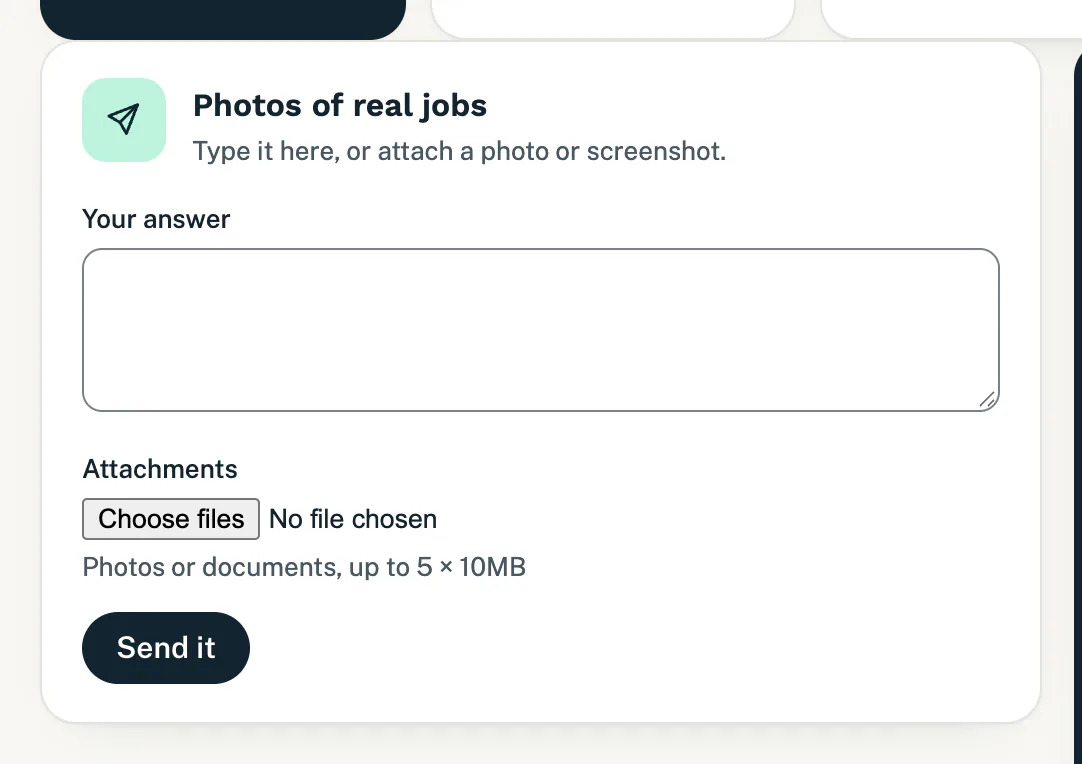
- Tap Send it beside the item. A short form opens on the Changes page, headed with the item’s name.
- Type your answer under Your answer, add photos or documents under Attachments, or both. You can attach up to five files at a time (photos, PDFs or Word documents), each under 10MB.
- Tap Send it.
You see “Thanks. Your request is queued. We will confirm when it is scheduled.” The item leaves the list on My site, and your answer shows under Your requests on Changes. Follow it there, and reply on it if we ask you something. We email you once it is on your website.
Good to know
- They do not use your monthly changes. Items sent from this list never count towards your allowance, and they still go through while website changes are paused (they then wait their turn).
- More than five photos? Send your best five here. To send more later, use Add photos on Changes, which does count as one of your monthly changes. See Ask for a change to your website.
- Do not have it yet? Leave the item open; it stays on the list until you send it. For the Google item, simply tell us you do not have a profile yet.
- Sent the wrong thing? While your answer still says Queued on Changes, tap Cancel request. The item comes back to the list so you can send it again.
- If we cannot use what you sent, we tell you why on Changes and by email, and the item comes back to the list.
- No list on My site? Then we need nothing from you right now, or we have not built the first version of your website yet.
Still stuck?
Message us on WhatsApp or send us an email. Tell us your business name, the page you were on and what you tried, and we take it from there.