
Changes to your website
Your monthly changes and fast-track
How many changes your plan includes, when they reset, and how to fast-track a change.
Your plan includes 1 website change every month. This guide explains how we count it, when it starts again, and how to fast-track a queued change for a once-off R350 instead of waiting for next month.
Your allowance
Open Changes. The first box, Used this cycle, shows how many of this month’s changes you have used, out of how many (for example 0 / 1), and the date it resets. The Your allowance card shows your plan and how many changes it includes per month.
A change is one update to your website, such as new hours, a new service or new photos.
A change counts when we schedule it, not when you send it. A request that is still Queued has not used anything yet.
These never use your allowance:
- answers you send from the checklist on My site;
- setup you ask for on Connections: connecting your domain, setting up your email, another mailbox and your Google review link. On Changes these are marked Setup;
- changes to your alert addresses under Settings;
- requests you send from Billing, such as an upgrade or a cancellation;
- a change you fast-tracked;
- a change you cancelled, or one we declined.
Everything else you queue on Changes counts, including a change to your business details from Profile and your social links from Connections, since both change what your website shows.
When it resets
Your allowance starts again once a month, on the date under Used this cycle. It runs in step with your monthly billing. Unused changes do not carry over to the next month.
When it is used up
A note at the top of Changes says “Your allowance for this cycle is used up. You can still queue changes for next cycle, or fast-track a queued change for R350 once-off.”
You can keep sending requests. They wait as Queued for your next cycle, unless you fast-track one.
Fast-track a queued change
-
Open Changes and find the queued change under Your requests.
-
Tap Fast-track for R350.
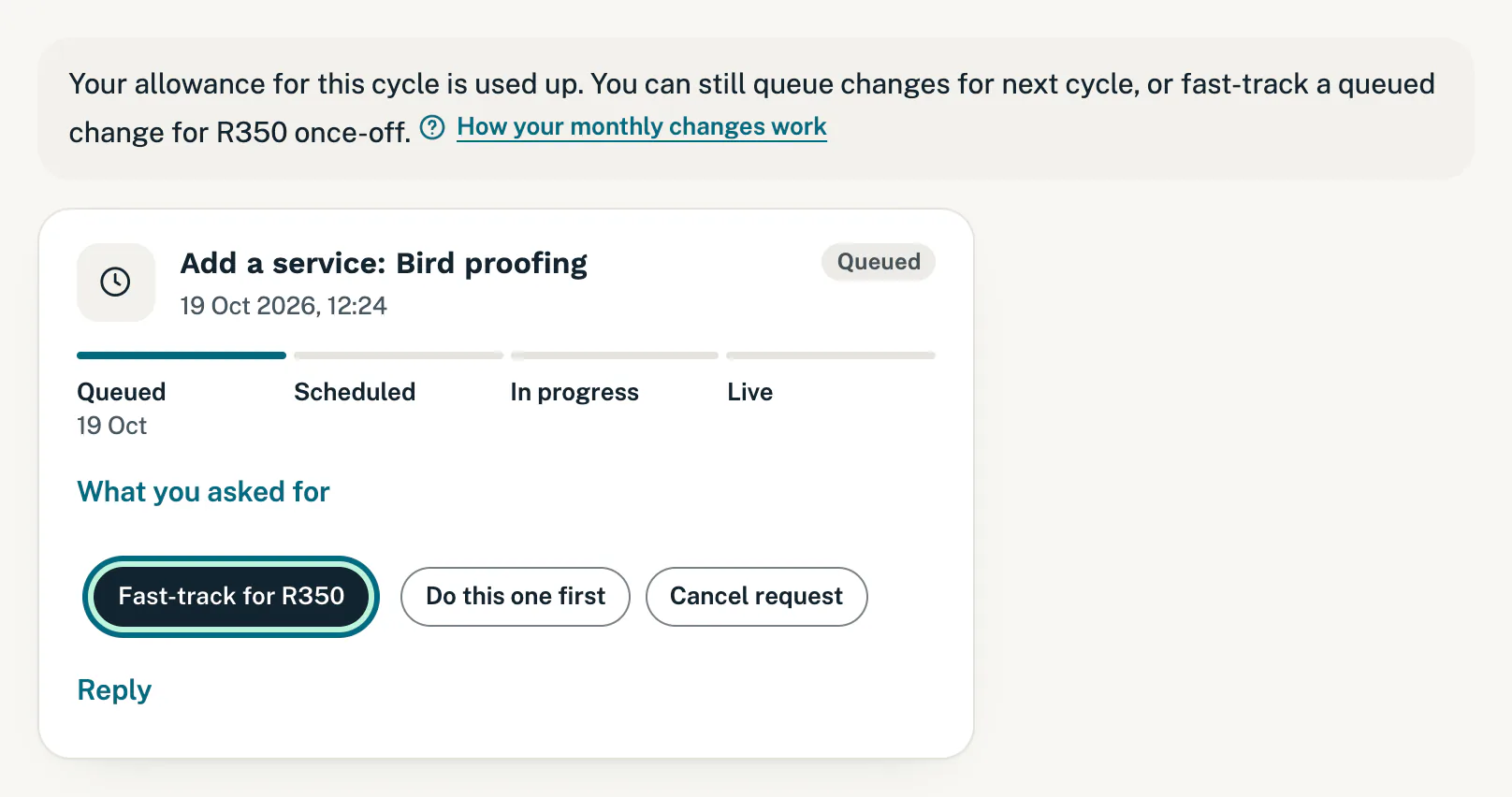
When your changes for the month are used up, you can fast-track a queued one. -
Pay the R350 on the secure payment page that opens.
-
You come back to Changes. Once the payment is confirmed, a note says “Thanks for your payment. It is confirmed, and your change is now scheduled.” The change moves to Scheduled and is marked fast-tracked.
We email you a receipt, and the invoice is under Billing. A fast-tracked change does not use your allowance.
Good to know
- When the button shows: Fast-track for R350 appears only once this month’s allowance is used up, and only on a website change that is still Queued. Until then, your queued change uses your included change at no extra cost.
- Back on Changes and no thanks yet: if you completed the payment, your change moves to Scheduled within a minute. If you cancelled on the payment page, nothing was charged and you can fast-track it again.
- Changed your mind after paying: you can cancel an extra change before we start the work, and we refund it in full (cancellation policy). Reply on the request, or contact support.
- Paused changes: while website changes are paused after a failed payment, there is no fast-track. See website changes are paused.
If something goes wrong
- “That change request is not queued (it may already be scheduled).” The change is no longer queued (we may already have scheduled it), so there is nothing to fast-track and nothing was charged. Tap Back to billing, or go back to Changes to see where it is.
- “We could not open the payment page just now. Please try again in a minute, or contact us.” Nothing was charged. Try again in a minute.
- No Fast-track button on your change: check that your allowance is used up and that the change is still Queued.
Still stuck?
Message us on WhatsApp or send us an email. Tell us your business name, the page you were on and what you tried, and we take it from there.